Figma to Maglr plugin: import designs to the Maglr canvas
By popular demand, you can now "import" Figma designs into Maglr. Click here to get the plugin.
What’s Figma?
If you’re a designer in today’s day and age, chances are that you’re familiar with Figma. It’s currently one of the most popular platforms for web design. We highly recommend checking it out if you prefer to work on designs before Maglr implementation.
The Figma plugin
If we’re talking specifics, we lied a little. The Figma plugin enables you to copy and paste from Figma to Maglr, so it’s not quite an “import”—it’s easier.
From the plugin window, you can choose from two copy-and-paste methods:
- Copying the selected element(s)
- Copying the selected frame(s)
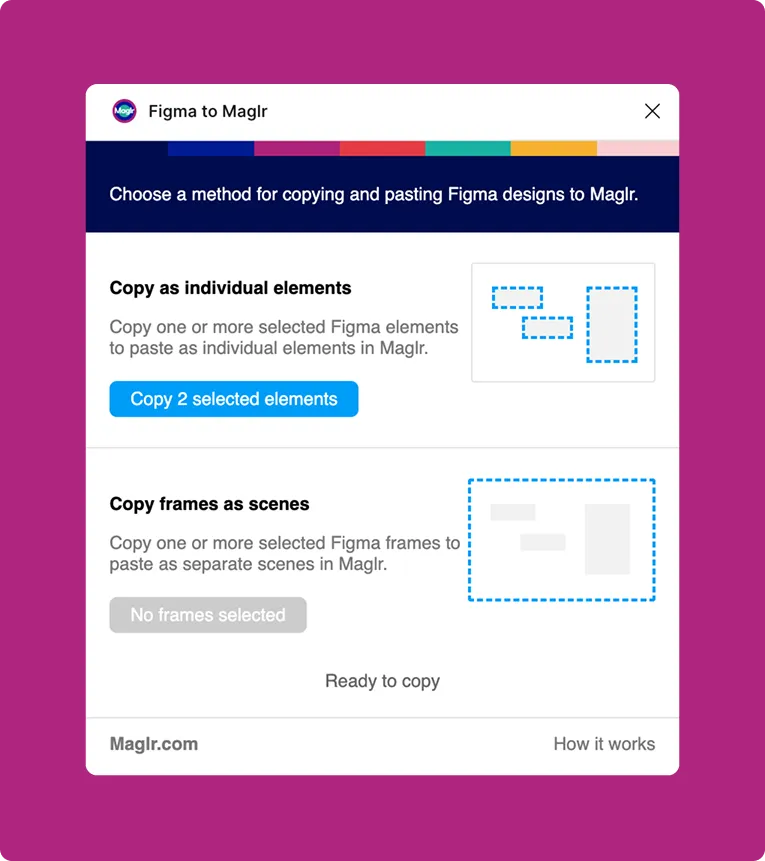
When pasting elements onto the Maglr canvas, their position will be retained. In case of copying frames, each frame translates to a scene in your Maglr page. In either case, your styling remains intact.
The best part? No more exporting vector paths and uploading them to the media library. It’s become as simple as copy and paste.
Click here to download the Figma to Maglr plugin!
Limitations
Keep in mind that, while the plugin will copy styling properties, Maglr does not support other technical features or Figma-native styling properties. Sorry, auto-layout users…
Check out the official documentation to understand the full scope of limitations.
What about Sketch?
Naturally, there’s also our Sketch import. Rest assured, we will keep it as it is. It’s not here to be replaced by Figma.