.webp)
New scroll animations and a redesigned timeline
We've added scroll-triggered animations to the Pro editor, along with a redesigned timeline that better shows how your animations relate to each other and the page.
Scroll animations
You can now trigger start and end animations based on scroll distance, not just viewport visibility or time. You'll find this as a new tab alongside the existing animation triggers.
When you have a group with a scroll animation, children will automatically inherit its type and distance is calculated as a percentage of the parent's scroll distance. For example: if a group has a scroll distance of 200px and contains two children animating in after each other, each child gets 100px (50% of the parent).
If an element is set to sticky, scroll animations can be matched to the sticky distance, start and end point. This keeps the animation in sync with how long the element stays on screen.
.webp)
Timeline redesign
With scroll animations and the ability to nest elements, our old time-based timeline didn't quite cut it anymore. So we've rebuilt it.
The new timeline displays scroll animations alongside timed and viewport animations, providing a clearer view of the hierarchy and dependencies between them. You can see at a glance which animations are nested, how long each one runs, and how they relate to each other. The timeline also allows for adding delays and manipulating the duration/distance
.webp)
UI improvements and other changes
While building scroll animations, we made a few other improvements worth mentioning.
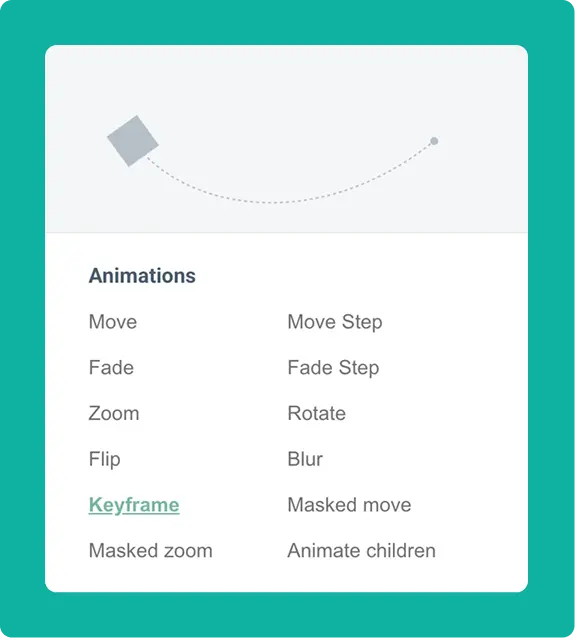
Animation previews: Each animation option now shows a small preview of its motion, so you can see what you're selecting before you apply it.
Parallax moved to Effects: Sharp-eyed users may have noticed we already had a tab called "Scroll animations" that housed both keyframe and parallax animations. After some internal debate, we decided parallax is more of an effect than an animation—so it now lives in the "Effects" tab.
Scroll path animation: With parallax moved out, the remaining "keyframe animation" is gets its own category under "Scroll path animation." This name better reflects what it's for: extensive scroll paths where an element travels across the page. For shorter animations—like making elements appear or disappear—use the new scroll-triggered start/end animations instead.
Learn how to use scroll animations in your designs
Follow along with Ben's "Build this page" series to get started with the new animations rightaway!
Questions? Reach out via chat or at info@maglr.com.